
supplements
Supplement Checker App: What to Look For (and What to Scan)
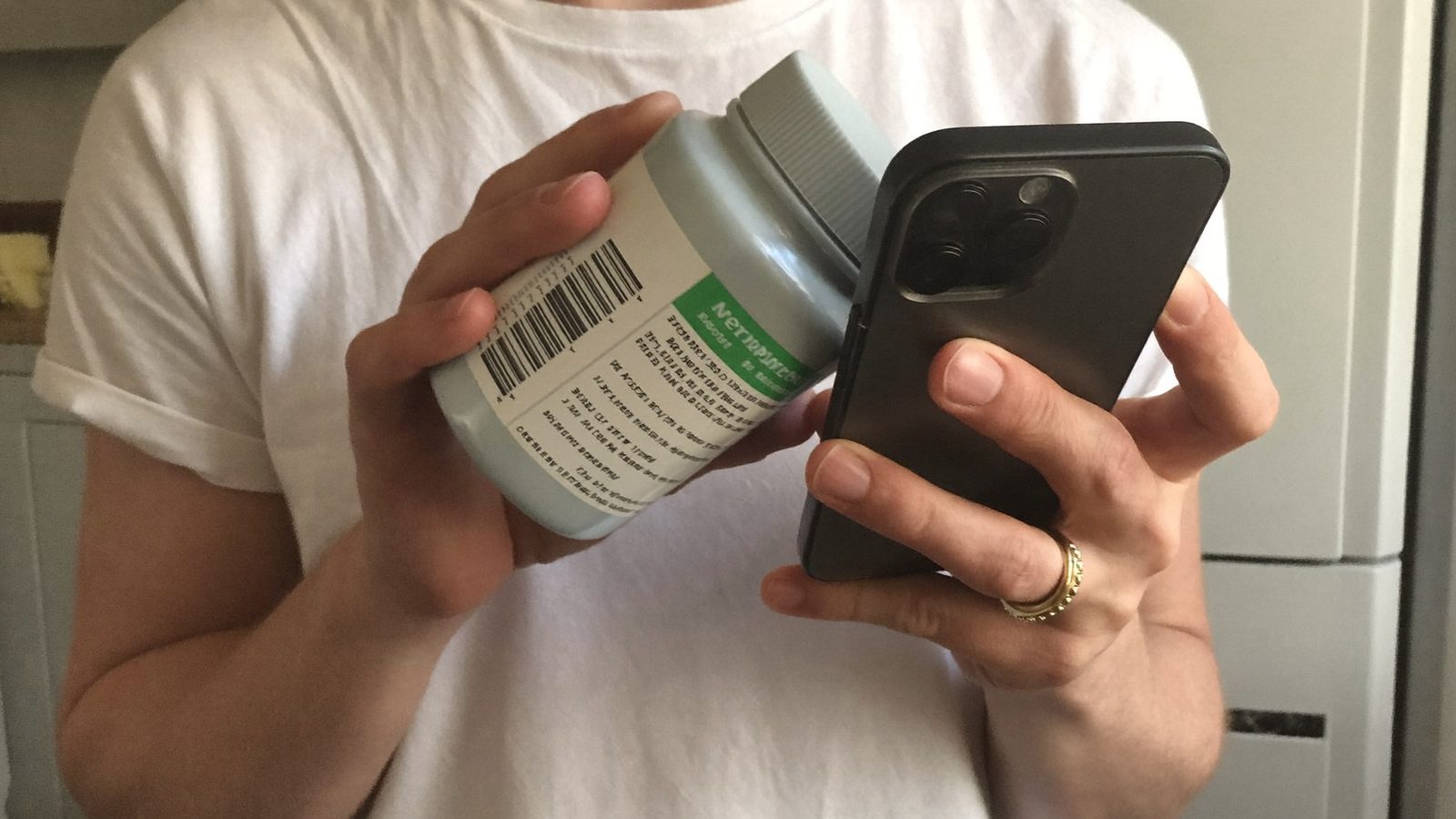
A supplement checker app scores what's disclosed on the label — ingredients, additives, and known nutrient roles — against evidence-based criteria. It flags dose transparency issues like proprietary blends and separates established evidence from emerging research, but it can't verify contamination or replace medical advice.
Key takeaways
- Dietary supplements are regulated as a food category in the US, so the FDA does not require proof of effectiveness before sale.
- Proprietary blends list a combined weight, not individual amounts, so some ingredient doses can't be verified from the label.
- A useful supplement checker app shows a transparent, traceable score rather than an unexplained badge.
- ScanVeer scores food, cosmetics, and supplements with the same evidence-based method, and brands cannot pay for a better score.
- No checker app can verify contamination or replace advice from a doctor, pharmacist, or registered dietitian.
In this article
- Why 'checking' a supplement is harder than checking food
- What a good supplement checker app should actually do
- How ScanVeer scores supplements — and why it also covers food
- Common ingredients and claims worth double-checking
- How to use a supplement checker app step by step
- What a checker app can't tell you
Why 'checking' a supplement is harder than checking food
A supplement checker faces a different job than a food scanner. In the US, dietary supplements are regulated as a category of food, not as drugs — the FDA does not require a company to prove a product works before it's sold, unlike prescription medicines.
Labels can also list "proprietary blends," where several ingredients share one combined weight instead of individual amounts. That makes some ingredient checks impossible from the label alone.
Contamination and mislabeling are a different question from the nutrition facts panel: according to NIH ODS, the Supplement Facts label is how you check what and how much a product contains, so the issue is whether the bottle matches that label, not its calories or added sugar.
A useful checker app scores what's disclosed and independently reviewed — not what's untested, proprietary, or unknown. That's a meaningful limit worth understanding before you rely on any score.
What a good supplement checker app should actually do
Not every supplement scanner app does the same job. A useful one reads the full ingredient and additive list on the Supplement Facts panel, not just the marketing claims on the front of the box.
It should also separate established evidence from emerging or speculative research, and say clearly when a claim is not yet settled science.
A transparent, reproducible score matters more than a vague red-yellow-green badge with no explanation attached. If you can't see why a product scored the way it did, the score isn't very useful.
Good tools also suggest better-rated alternatives when something scores low, and — critically — they can't be paid by brands to rank higher. Independence is what separates a checker from an advertisement.

How ScanVeer scores supplements — and why it also covers food
ScanVeer's scoring methodology works the same way across food, cosmetics, and supplements: it looks at what's disclosed on the label — ingredients, additives, and known nutrient roles — and converts that into a 0–100 score you can trace back to its parts.
For example, vitamin C's role is well documented: NIH's Office of Dietary Supplements describes it as an antioxidant vitamin involved in collagen production, wound healing, iron absorption and immune function. A score reflects that kind of established evidence, not marketing copy.
Because ScanVeer covers food, cosmetics, and supplements in one app, you can check a multivitamin and the fortified cereal or protein bar you eat with it, using the same transparent method — no separate app needed for each category.
ScanVeer cannot be paid by brands for a better score, on any product type.
Common ingredients and claims worth double-checking
A few label features are worth a second look on any supplement label scanner result.
- Proprietary blends: the label gives a total for the blend but not how much of each ingredient is in it — you can't tell whether an active ingredient is present at a researched amount or a trace, per NIH's Office of Dietary Supplements.
- Added sugars or sweeteners: common in gummy and flavored powder supplements; see our guide to hidden sugar names for how these show up under many different terms.
- Fillers, binders, and artificial colors in tablets: the Supplement Facts label, which NIH ODS describes as the place to check what a product contains, shows which ones a product uses; their role or safety in any specific product is not reviewed here, so treat any safety claim about them as not confirmed.
- Medical-sounding claims: US supplement labels can carry "structure/function" claims (e.g., "supports immune health") but not claims to treat, cure, or prevent a disease — the FDA requires a disclaimer on the former.
How to use a supplement checker app step by step
Using an app to scan supplements follows the same basic pattern as scanning food:
- Scan the barcode on the bottle or box — most codes sit on the back or bottom panel.
- Read the score breakdown, not just the headline number, so you understand which ingredients or claims pulled the score up or down.
- If the score is low, compare it against a suggested swap the app offers, and check whether the difference is dose transparency, added sugar, or something else.
- Cross-check any food products you take alongside the supplement — a fortified cereal, a protein bar, a sports drink — using the same app and method, so your whole routine is scored consistently.
This turns a single scan into a habit: checking what you eat and what you supplement with the same evidence-based lens.
What a checker app can't tell you
A checker app is a research tool, not a substitute for professional advice. It works only from the Supplement Facts label, which NIH ODS describes as the way to check what and how much a product contains; questions about pregnancy, medication interactions, or an existing medical condition belong with a doctor, pharmacist, or registered dietitian.
It also can't verify third-party lab testing claims that aren't disclosed on the label itself; if a brand says it tested for purity but doesn't show what was tested or by whom, the app can only note that gap.
Finally, any score is based on public, disclosed information — ingredient lists, additive data, and known nutrient roles — not on internal manufacturing records or facility inspections. That's true of any checker app, not just ScanVeer.
Use the score as a starting point for a conversation with a professional, not the final word on your health decisions.
Check your next supplement before you buy
Download ScanVeer free at scanveer.com/get and scan your first supplement or food label to see its independent 0-100 score.
Get ScanVeer FreeFrequently asked questions
What does a supplement checker app actually score — safety, quality, or something else?
A good supplement checker app scores what's disclosed on the label — ingredients, additives, and known nutrient roles — against evidence-based criteria. It isn't a safety certification or a quality guarantee; it reflects what's published and reviewable, not what's hidden or untested.
Is there an app that checks both food and supplements in one place?
Yes — ScanVeer scores food, cosmetics, and supplements in one app, using the same 0–100 evidence-based method described at scanveer.com/how-we-score. That means you can check a multivitamin and a fortified cereal with the same transparent criteria.
How is a supplement checker different from a food scanner app like Yuka?
Some food scanner apps skip supplements entirely or use narrow hazard flags without an evidence-based 0–100 score. ScanVeer applies the same transparent methodology across food, cosmetics, and supplements, so you're not switching between different scoring logics for each category.
Can a supplement checker app tell me if a product is contaminated?
No. Contamination is about what's physically in the bottle versus what the label states, which requires lab testing, not label analysis. A checker app can flag dose transparency issues, such as a proprietary blend that NIH ODS notes leaves you unable to tell how much of each ingredient is present, but it only reads the label and does not test what is in the bottle.
Should I talk to a doctor before trusting an app's supplement score?
Yes, especially for pregnancy, medication interactions, or an existing medical condition. An app score is a research starting point built from the Supplement Facts label, which NIH ODS describes as the way to check what and how much a product contains; for personalized advice, readers should still consult a doctor, pharmacist, or registered dietitian.
Is ScanVeer free to use for scanning supplements?
Yes — ScanVeer is free to download at scanveer.com/get, and scanning a supplement, food, or cosmetic barcode to see its independent 0–100 score doesn't require payment or a brand partnership.